How Do Baby Monitor Suppliers Handle Firmware Updates?
Baby monitor suppliers handle firmware updates through wireless delivery, app-guided installation, or manual file transfers. A well-managed update process also checks that the software is authentic, matches the device, installs reliably, and leaves the monitor working afterward. The delivery method alone tells you little about the quality of ongoing support.
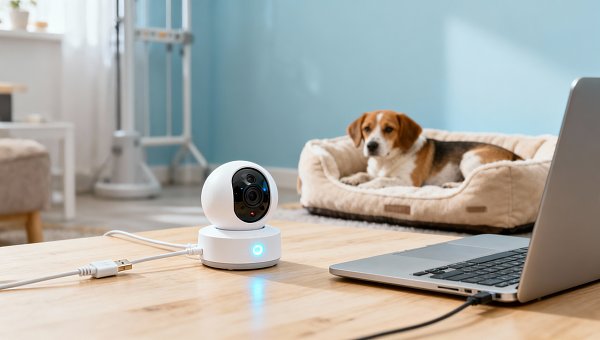
When asking “How do baby monitor suppliers handle firmware updates?” look beyond whether a product supports automatic updates. Ask who maintains the software, how releases are tested, what happens during an interrupted installation, and how long security fixes remain available. These details matter when a monitor provides overnight nursery audio or helps someone check on a pet while away from home.
Start by identifying what actually gets updated
Firmware is the software inside the monitor that controls functions such as video capture, wireless connectivity, audio transmission, and device startup. Updating the phone app does not necessarily update the camera. A supplier may maintain several separate components: camera firmware, a dedicated parent-unit operating system, a mobile app, and the cloud service that supports remote viewing.
This distinction helps explain why an update can appear successful while a problem remains. A new app version might improve the interface without fixing a camera connection fault. Conversely, new camera firmware may require a compatible app version before a feature becomes available.
For a monitor with a separate handheld display, ask whether the camera and display need coordinated updates. They may communicate through a proprietary wireless link, and compatibility must be maintained between both ends. A product without internet access can still need firmware maintenance, although delivery usually requires a local connection or service procedure.
Hardware revisions also matter. Two monitors sold under the same model name may contain different internal components. A dependable update system identifies the exact hardware revision before selecting a firmware package. Choosing a file by product name alone can be insufficient.
Understand the supplier’s update delivery method
The common delivery methods differ mainly in how much involvement they require and which connections must be available.
“App-based” and “over-the-air” can describe parts of the same workflow. The app might simply authorize a download that the camera performs itself. Ask the supplier to explain the actual sequence, including what happens if the phone disconnects after installation begins.
Automatic updates reduce dependence on someone noticing a notification. However, installation may interrupt live video or audio while the monitor restarts. Scheduling controls and clear downtime notices are useful when monitoring continuity matters. Urgent security releases may need different handling from optional feature updates.
Manual updates can suit devices designed for local operation, but they place more responsibility on the person installing them. Instructions should identify the correct package, required power conditions, expected indicators, and actions to avoid during installation.
Follow the update from release to recovery
A reliable firmware workflow has several checkpoints. These provide a practical way to assess a supplier’s process, even without access to its source code.
- Identify eligible devices. The system checks the model, hardware revision, installed firmware, and any required intermediate versions.
- Prepare the release. The supplier tests the package, documents changes, and defines which devices should receive it.
- Deliver and verify the package. The monitor downloads or receives the update and checks its authenticity and integrity.
- Install under suitable conditions. The device checks relevant requirements, such as adequate power and available storage, before replacing firmware.
- Restart and confirm operation. The monitor starts the new version and checks that essential functions are available.
- Recover if installation fails. A documented recovery mechanism restores operation or provides a clear service route.
Downloading and installing are separate stages. A interrupted download may be safely retried, while losing power during firmware replacement can create a more difficult failure. The instructions should distinguish these stages so someone does not unplug a monitor simply because progress appears slow.
Some devices use two firmware storage areas, keeping a working version while installing a new one elsewhere. This can allow recovery if the new version fails to start. Other designs use a recovery loader or a service connection. No single recovery design is universal, but the supplier should explain how its product becomes usable again after failure.
Recovery also needs security controls. Returning to an older version can restore operation, yet it may reintroduce a vulnerability. A sound design balances recovery with restrictions on installing known-vulnerable software.
Check security beyond the download connection
Encrypted delivery helps protect firmware while it travels across a network. Digital signatures serve a different purpose: they allow the device to verify that the package came from an authorized source and has not been altered. Both controls can matter, especially for internet-connected cameras.
A file checksum can detect corruption, but a checksum supplied alongside an untrusted file does not establish who created it. Ask whether the device itself rejects unauthorized firmware before installation. A website displaying a download link is not enough to demonstrate this protection.
The supplier should also control who can approve and publish releases. Signing credentials need protection because misuse could make malicious software appear legitimate. Useful questions concern access controls, release approval, and procedures for responding if those credentials are compromised.
Security maintenance requires a route for reporting vulnerabilities and a process for assessing them. A meaningful response should distinguish acknowledging a report, investigating it, preparing a fix, and distributing that fix. A promise of “regular updates” does not explain how urgent problems are handled.
Firmware can improve security without changing visible features. Release notes should make that distinction understandable while avoiding unnecessary details that could help exploit an unresolved issue.
Test the functions people depend on after installation
An update that completes successfully can still cause problems in daily use. Testing therefore needs to cover the monitor’s behavior after the restart, including reconnecting, restoring settings, and continuing its main monitoring functions.
For nursery use, relevant checks include audio availability, sound alerts, night vision, camera pairing, and connections to a dedicated display. For pet monitoring, remote reconnection, motion notifications, two-way audio, and any supported pan-and-tilt controls may deserve particular attention.
Alert behavior requires careful testing. In a pet care setting, changes to motion detection might increase notifications from routine movement or reduce sensitivity to activity someone wants to see. An update should explain meaningful changes to detection behavior and whether existing sensitivity settings remain intact.
Compatibility testing should include supported phone operating systems, app versions, and hardware revisions. Network conditions also matter: a monitor may behave differently after a router restart, a brief internet outage, or a move between wireless access points. Where local viewing is supported, test whether it remains available during an internet outage.
A staged rollout releases firmware to a limited group before wider distribution. It can help a supplier detect problems missed during laboratory testing. Ask what failures cause a rollout to pause and whether the supplier can stop further distribution promptly. A staged release only helps when someone monitors the results.
Post-update diagnostics should have a defined purpose. Installation status, restart failures, and connection errors can help identify a faulty release. Nursery or pet video is not inherently necessary to establish whether firmware installed successfully; the supplier should explain what diagnostic information it collects.
Make support ownership and duration explicit
The company selling the monitor may depend on another organization for its firmware, app, or cloud infrastructure. That arrangement can work well, but responsibilities need to be clear. When a defect appears, someone must be able to investigate the device software, approve changes, and distribute a replacement release.
For a monitor sold under a different brand name, establish whether its firmware is maintained separately or shares a common software branch with other products. Custom features can create additional compatibility work. A change to an alert, interface, or account system may affect future updates even when the underlying camera hardware stays the same.
Support duration should be stated in a way that can be applied to an individual device. A commitment measured from product launch differs from one measured from the final sale or a defined end-of-support date. Remaining stock may otherwise reach homes with much less support time than expected.
Distinguish security maintenance from feature development. A supplier may stop adding features while continuing to fix vulnerabilities. Likewise, continued app availability does not prove that the camera firmware is still maintained.
Cloud dependence creates another question: what continues working if the remote service closes? Local viewing, remote access, notifications, and recordings may have different dependencies. Firmware updates cannot preserve a remote function if the infrastructure it requires disappears.
Written support terms should cover the maintenance period, vulnerability handling, update-related failures, and end-of-support communication. They should also assign responsibility for helping someone whose device becomes unusable during a correctly performed update.
Evaluate the process with a demonstration
Ask the supplier to demonstrate an update on the exact model and hardware revision under consideration. Follow the notification, installation, restart, and version check. Then confirm that saved settings, video, audio, pairing, and relevant alerts still work.
Review the release notes alongside the demonstration. Useful notes identify affected versions, describe meaningful changes, explain prerequisites, and disclose expected interruptions. “Performance improvements” alone gives little help when deciding whether an update addresses a specific problem.
Recovery deserves a controlled demonstration too. Download interruption can often be assessed without risking hardware; power-loss testing during installation belongs in an agreed test procedure with recovery equipment available. The goal is to see the recovery process work, rather than rely entirely on a verbal assurance.
Before accepting the support arrangement, request a small set of concrete records:
- A firmware history showing changes for the relevant model.
- Installation instructions and a documented recovery procedure.
- A compatibility record covering hardware, app, and display versions where applicable.
- A defined security support period and vulnerability reporting channel.
- A clear assignment of responsibility for firmware, app, and cloud maintenance.
Frequent updates alone are not a reliable measure of quality. They may reflect active maintenance, recurring defects, or ongoing feature development. Evaluate what each release fixes, how carefully it is delivered, and whether the supplier follows through when something fails.
The strongest basis for choosing a supplier is a demonstrated maintenance process: authenticated firmware, tested compatibility, understandable installation behavior, workable recovery, and a support commitment that covers the expected period of use. Start with those requirements before comparing convenience features such as one-tap installation.
Related Intelligence
 Cosmetics & PkgOct 28, 2026China’s September Cosmetics Exports to Russia Hit Record, Doubling Year on YearChina’s cosmetics exports to Russia reportedly doubled to a record $33.6 million in September 2026. Explore the implications for sourcing, compliance checks and delivery planning.
 Cosmetics & PkgOct 27, 2026China’s Cosmetics Exports to Russia Hit Record High in September 2026China’s cosmetics exports to Russia reportedly hit $33.6 million in September 2026. Explore category trends and key checks for order planning, documentation and delivery readiness.
 Corporate & Seasonal GiftsOct 26, 2026140th Canton Fair Phase Two in Full Swing as Green, Smart Home Products Secure OrdersExplore 140th Canton Fair Phase Two green and smart home products, reported buyer demand, and key procurement checks to turn orders into reliable export deliveries.
 STEM & Educational ToysOct 25, 2026Malaysia’s KPDN Seizes 5,801 Non-Compliant Squishy Toys in Nationwide ActionMalaysia’s KPDN reportedly seized 5,801 squishy toys lacking safety compliance marks. Discover key checks to help toy suppliers assess stock and verify compliance before distribution.
 Infant Feeding & CareOct 24, 2026FDA Issues Draft Guidance on Cadmium Action Levels in Baby FoodsFDA draft guidance on cadmium action levels in baby foods proposes category-specific targets. Explore potential impacts on sourcing, testing and compliance planning—and how to prepare.
 STEM & Educational ToysOct 23, 20262026 China Toy Expo Gives AI Toys a Dedicated Hall as Practical Features Take Priority2026 China Toy Expo spotlights AI toys with a dedicated hall. Explore how practical features and everyday play experiences are reshaping manufacturers’ product priorities.
 STEM & Educational ToysOct 22, 2026Blokees Showcases Over 900 Products at the 2026 China International Toy FairBlokees showcases over 900 products at the 2026 China International Toy Fair. Explore Model Kits, BLOKEES WHEELS and key sourcing checks to guide your next purchase.
 Cosmetics & PkgOct 21, 2026BASF Plans Beauty Innovation Showcase at in-cosmetics Asia 2026Explore BASF’s planned beauty innovations at in-cosmetics Asia 2026 in Bangkok, with a focus on skin protection, repair and sustainable solutions for personal care formulators.
 Cosmetics & PkgOct 20, 2026Beauty Tops Amazon’s 2026 Prime Big Deal Days Shopping CategoriesBeauty tops Amazon’s 2026 Prime Big Deal Days at 32% of shoppers, according to Market Defense. Explore what the findings could mean for product selection, inventory and promotional planning.
 Nursery Furniture & MonitorsOct 14, 2026What Safety Tests Are Required for Baby Monitors in Europe?What safety tests are needed for baby monitors in Europe? Explore EU safety, radio, EMC and cybersecurity requirements to verify suppliers and buy with confidence.
 Nursery Furniture & MonitorsOct 14, 2026How Do Baby Monitor Suppliers Handle Firmware Updates?How do baby monitor suppliers handle firmware updates? Discover secure update methods, recovery options, and support checks to choose a reliable monitor for nursery or pet care.
 Pet Grooming & TravelOct 14, 2026What Documents Should Pet Product Suppliers Provide to Buyers?What documents should pet product suppliers provide? Explore essential safety reports, product specs, batch records, and shipping paperwork to verify suppliers and buy with confidence.
 Smart Pet DevicesOct 14, 2026Is Smart Pet Hardware a Good Category Expansion for Retailers?Is smart pet hardware a good category expansion for retailers? Discover how to assess demand, reliability, supplier support, and real margins before committing to new inventory.